
If you have ever designed a smart display — whether for a medical cart, an industrial control panel, a point-of-sale terminal, or a consumer tablet — you have likely faced this question: How much rotation does my display actually need, and what torque does it take to hold it there?
The answer is rarely straightforward. A display that needs to tilt for viewing comfort has very different requirements from one that must flip completely around for presentation mode. A hinge that works for a lightweight 7-inch screen will fail for a 24-inch industrial monitor. And a hinge that holds perfectly on day one may sag after 10,000 cycles if the torque wasn’t specified with enough margin.
This guide is written for engineers, procurement professionals, and decision-makers who need to understand the torque requirements for smart display position hinges — specifically for 180° and 360° flip configurations. We will cover the physics of torque calculation, the key differences between 180° and 360° designs, the critical parameters that determine long-term stability, and how to select the right hinge for your application.
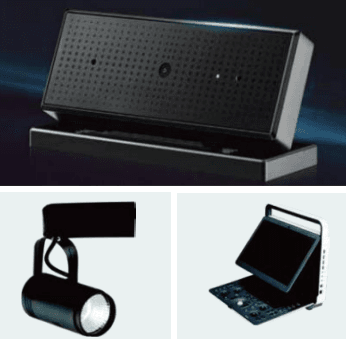
180° vs. 360° Flip: What’s the Difference?
Before we dive into torque calculations, let’s clarify what we mean by 180° and 360° flip hinges — because the distinction is not always obvious.
180° Position Hinges
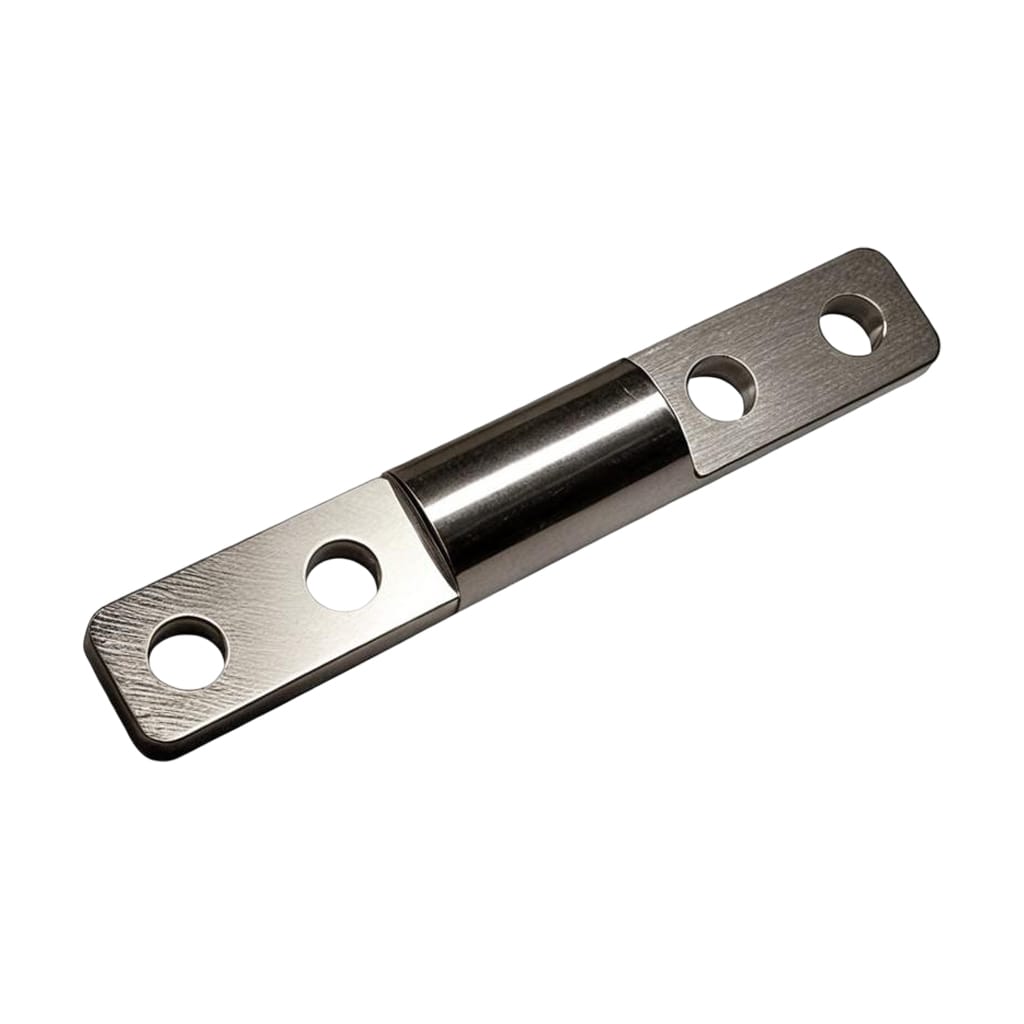
A 180° position hinge allows a display to rotate from a closed (0°) position to a fully open (180°) position, holding securely at any angle in between. This is the most common configuration for laptops, medical monitors, industrial control panels, and point-of-sale displays.
The rotation is typically limited to a single axis. The hinge provides free-stop functionality — meaning the display stays at whatever angle the user sets it, without locks, springs, or gas struts.
Typical applications:
- Laptop displays (0° to 180°)
- Medical monitor arms with tilt adjustment
- Industrial HMI panels
- Point-of-sale terminals
- Foldable smart devices
Sugatsune’s HG-TAWJ40, for example, offers 180° lift-assist and free-stop motion, with retaining torque adjustable from 0 to 3.5 N·m. The HG-TA45R provides consistent torque throughout its 0° to 180° working range.
360° Position Hinges
A 360° position hinge allows continuous rotation — the display can rotate a full circle and hold at any position along that arc. This is essential for applications where the display needs to be viewed from multiple angles, flipped for presentation mode, or rotated for portrait/landscape orientation.
Many 360° hinges feature an open center that allows cables to pass through the rotation axis — a critical feature for powered displays that need to maintain electrical connections while rotating.
Sugatsune’s HG-S series offers 360° rotation with free-stop functionality, made of 430 stainless steel with an open center for cable management. The HG-S-HR50 high-rigidity swivel torque hinge rotates 360° and holds any angle, with torque options from 5.0 N·m to 15.0 N·m and a ±20% tolerance band.
Typical applications:
- Medical cart displays (rotate for patient or clinician view)
- Kiosk and self-service terminals
- Surveillance monitors
- Articulating monitor arms
- Dual-screen or foldable devices
Some dual-axis designs combine both: 180° tilt and 360° swivel in a single hinge assembly.
The Physics: Calculating Torque for Smart Displays
The fundamental torque calculation for any position hinge starts with the load and its center of gravity. The formula used by industry leaders is straightforward:
T = W × L × cos θ
Where:
- T = required torque (N·m)
- W = weight of the display (kg)
- L = distance from the hinge pivot to the center of gravity (m)
- θ = angle between the display and the horizontal plane
The moment is at its maximum when the center of gravity is horizontal relative to the rotation axis. At that position, cos θ = 1, so the formula simplifies to T = W × L.
Worked Examples
Example 1: A 10-inch medical display
Consider a medical display weighing 1.5 kg, with its center of gravity 0.10 meters from the hinge pivot. At the horizontal position:
T = 1.5 × 0.10 = 0.15 N·m
Example 2: A 24-inch industrial monitor
Consider an industrial monitor weighing 5.0 kg, with its center of gravity 0.15 meters from the pivot:
T = 5.0 × 0.15 = 0.75 N·m
The Safety Factor: Why Margin Matters
Theoretical torque is just the starting point. In real-world applications, you must apply a safety factor to account for:
- Manufacturing tolerances: Every hinge has a torque tolerance band — typically ±15% with zinc components and ±20% with insert plastic molded parts.
- Wear over time: Torque degrades with use. Sugatsune notes that torque will decrease due to long-term use, temperature, and humidity.
- Temperature effects: Torque changes with temperature as lubricant viscosity shifts.
- Dynamic loading from touch interaction: Taps and swipes add momentary loads.
- Cable drag: Cables passing through the hinge add resistance.
Most engineers use a safety factor of 1.5 to 2.0.
For the 24-inch industrial monitor example (0.75 N·m theoretical), the target torque should be:
0.75 × 1.5 = 1.125 N·m (minimum)
This is why many industrial hinges are available with torque values starting at 1.0 N·m and going up to 50+ N·m.
The Tolerance Trap
Every friction hinge torque rating has a tolerance band. A hinge rated at 2.0 N·m with ±20% tolerance could deliver anywhere from 1.6 to 2.4 N·m.
If your application requires at least 1.6 N·m to hold the display, and your hinge is rated at 2.0 N·m with ±20% tolerance, you are right at the edge. Some units will hold. Others will sag.
The rule: Design for the low end of the tolerance band, not the nominal value. Sugatsune’s rule of thumb: make sure your application’s moment is smaller than the low-end torque tolerance value.
Key Parameters for Smart Display Position Hinges
1. Torque Value and Range
The torque range available from manufacturers is exceptionally wide:
| Application Type | Typical Torque Range |
|---|---|
| Small displays (7-10 inches) | 0.1 – 0.5 N·m |
| Medium displays (11-15 inches) | 0.3 – 1.0 N·m |
| Large displays (15-24 inches) | 1.0 – 3.0 N·m |
| Industrial monitors (24+ inches) | 3.0 – 15.0+ N·m |
HTAN offers rotational torque hinges from 0.5 N·m to 50 N·m depending on model and size. Sugatsune’s HG-S-HR50 series offers 5.0 N·m, 10.0 N·m, and 15.0 N·m options. Southco’s constant torque hinges range from 0.35 kg-cm to 50.7 kg-cm.
Some hinges offer adjustable torque — allowing field tuning via a set screw or adjustment nut. The XG11-086 adjustable torque hinge, for example, offers 0 to 2.0 N·m adjustment with a 180° opening angle. Sugatsune’s HG-TAWJ40 allows torque adjustment from 0 to 3.5 N·m.
2. Rotation Angle
For smart displays, the rotation angle must match the use case:
- 180°: Standard tilt and flip applications. The HG-TA45R offers 0° to 180° with consistent torque throughout the working range.
- 360°: Continuous rotation applications. The HG-S series offers 360° rotation with free-stop functionality.
- Dual-axis: Tilt and swivel in one hinge. The HG-T70S30 offers 360° rotation and 120° free-stop tilt.
3. Cycle Life
For a smart display that is adjusted multiple times per day, the hinge should survive at least 20,000 cycles. Premium hinges are tested to higher standards:
- Sugatsune torque hinges: 20,000+ open/close cycles
- Southco E6/ST series: 20,000 cycles within ±20% of rated torque
- Reell RT Series: 50,000+ cycles
- LEECO integrated torque hinges: 25,000+ cycles within ±20% of static torque specification
4. Torque Consistency
For smart displays, constant torque is critical. Users expect the same feel whether they are adjusting the display for the first time or the 10,000th time.
Southco’s constant torque hinges provide constant resistance throughout the entire range of motion, enabling users to easily position display screens and hold them securely at any desired angle. Reell’s RT Series hinges provide constant torque throughout their full 360° range of motion without any need to exert potentially damaging excessive force.
5. Cable Management
For powered displays, cable management is a critical consideration. Many 360° hinges feature an open center that allows cables to pass through the rotation axis.
Sugatsune’s HG-S series features “an open center for easy cable management”. The HG-S-HR50 has a 50 mm center hole for cable routing.
6. Material and Finish
7. Temperature Range
Most torque hinges have an operating temperature range of 0°C to 40°C or -10°C to 60°C. For outdoor or extreme environment applications, verify the temperature rating with the manufacturer.
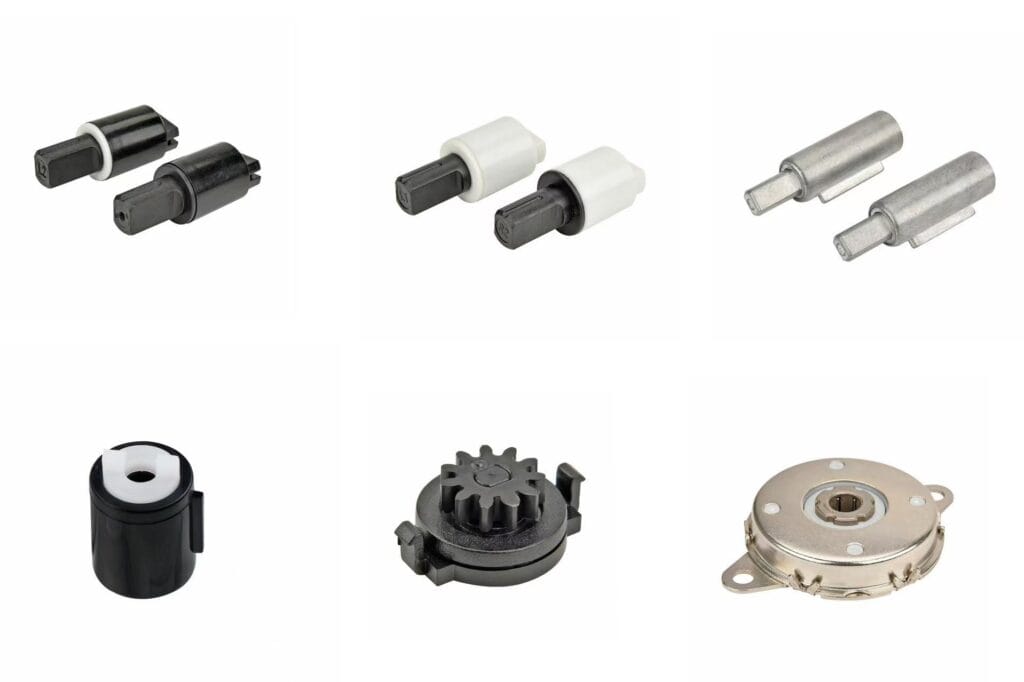
180° Flip Solutions: Product Examples
Sugatsune HG-TAWJ40
- Angle: 180° lift-assist and free-stop motion
- Torque: Adjustable 0 to 3.5 N·m
- Features: Built-in spring makes lids feel lighter; covers hide screws and spring
- Cycle life: Passed 20,000 open/close cycle test
Sugatsune HG-TA45R
- Angle: 0° to 180°
- Torque: Consistent torque throughout working range
- Applications: LCD monitors, stationary cameras, displays
XG11-086 Adjustable Torque Hinge
- Angle: 180° opening
- Torque: 0 to 2.0 N·m adjustable
- Material: Zinc die-cast with black finish
- Applications: Medical equipment panels, monitor arms, industrial control cabinets
360° Flip Solutions: Product Examples
Sugatsune HG-S Series
- Angle: 360° rotation with free-stop function
- Material: 430 stainless steel
- Features: Open center for cable management
- Applications: Medical and institutional control panels and monitors
Sugatsune HG-S-HR50
- Angle: 360° rotation
- Torque: 5.0 N·m, 10.0 N·m, or 15.0 N·m options
- Tolerance: ±20%
- Features: High rigidity, withstands unbalanced loads; center hole for cable routing
- Applications: Control panels, LCD monitors
HTAN Round Rod Embedded Torque Hinges
- Angle: 360° rotation
- Torque: 0.1 N·m to 3.0 N·m options
- Material: 1215 steel, nickel-plated
- Applications: Laptops, tablets, medical monitors, automotive displays
Reell RT Series
- Angle: Full 360° range of motion
- Torque: RT70 (0.34–0.9 N·m), RT100 (0.9–2.26 N·m), RT120 (2.26–5.65 N·m)
- Cycle life: Exceeding 50,000 cycles
- Features: Patented ReellTorq® clip technology; no adjustment required during installation
Dual-Axis Solutions: Tilt + Swivel
For applications requiring both tilt and swivel functionality, dual-axis torque hinges combine 180° tilt with 360° swivel in a single assembly.
Sugatsune offers dual-axis torque hinges with free-stop mechanisms on two axes, allowing any angle to be held in both tilt and swivel directions. The swivel direction allows for 360° rotation.
The HG-T70S30 offers 360° rotation and 120° free-stop tilt. The HG-T30S15 offers 360° rotation and 200° free-stop tilt.
Common Mistakes in Smart Display Hinge Selection
Mistake 1: Specifying Torque Equal to Theoretical Load
Do not select hinge torque equal to the theoretical minimum. Add margin for wear, temperature, and manufacturing tolerances.
Mistake 2: Ignoring Torque Tolerance
A ±20% tolerance means your “2.0 N·m” hinge could be 1.6 N·m. Design for the low end of the tolerance band.
Mistake 3: Forgetting About Cable Drag
Cables passing through the hinge add resistance. If you are using a hollow-shaft hinge for cable management, account for cable drag in your torque calculation.
Mistake 4: Testing Without the Full Assembly
Always test with the actual display — including any cables, brackets, or accessories that will be used in production.
Mistake 5: Overlooking Touchscreen Interaction
Touchscreens are tapped and swiped. These dynamic loads add to the static load. A hinge that holds a static display may fail under repetitive touchscreen use.
Mistake 6: Choosing 180° When 360° Is Needed
If your display needs to be viewed from multiple angles or flipped for presentation mode, 180° is not enough. Specify 360° from the start.
Selection Decision Framework
| Requirement | Recommended Configuration |
|---|---|
| Standard tilt adjustment only | 180° single-axis hinge |
| Full flip for presentation mode | 360° single-axis hinge |
| Tilt + swivel adjustment | Dual-axis hinge (180° tilt + 360° swivel) |
| Powered display with cables | Hinge with open center for cable routing |
| High cycle count (20,000+) | Constant torque hinge with documented cycle life |
| Variable loads or development tuning | Adjustable torque hinge |
| Medical or corrosive environment | Stainless steel construction |
FAQ
Q1: What is the difference between a 180° and a 360° position hinge for smart displays?
A 180° position hinge allows rotation from closed (0°) to fully open (180°), holding at any angle in between — standard for laptops and most displays. A 360° position hinge allows continuous full-circle rotation, ideal for displays that need to be viewed from multiple angles, flipped for presentation mode, or rotated between portrait and landscape orientations. Many 360° hinges feature an open center for cable management.
Q2: How do I calculate the torque needed for a smart display hinge?
Use the formula T = W × L × cos θ, where W is the display weight, L is the distance from the hinge pivot to the center of gravity, and θ is the angle from horizontal. The worst-case scenario is when the display is horizontal (cos θ = 1). Always add a safety factor of 1.5 to 2.0 to account for manufacturing tolerances, wear, temperature effects, and dynamic loading from touchscreen interaction.
Q3: What torque tolerance should I expect from a smart display hinge?
Standard torque tolerance is ±15% with zinc components and ±20% with insert plastic molded parts. Some premium suppliers can achieve tighter tolerances with excellent process control. Always design for the low end of the tolerance band, not the nominal value. A hinge rated at 2.0 N·m with ±20% tolerance could deliver as low as 1.6 N·m.
Q4: How many cycles should a smart display position hinge last?
For a smart display that is adjusted multiple times per day, the hinge should survive at least 20,000 cycles. Premium hinges are tested to higher standards: Sugatsune tests to 20,000+ cycles, Southco to 20,000 cycles within ±20% of rated torque, and Reell to 50,000+ cycles. When specifying a hinge, look for documented cycle life data from the manufacturer.
Summary
Smart display position hinges — whether 180° or 360° flip — are precision components that require careful specification. The key to success is understanding the physics of torque calculation, accounting for manufacturing tolerances and wear, and selecting the right configuration for your application.
Do the math early — calculate your required torque using T = W × L × cos θ and add a safety factor. Design for the low end of the tolerance band. Choose 360° rotation when your display needs full-circle positioning. Select hinges with open centers for cable management in powered displays. And always verify with documented cycle life data from your supplier.
The hinge that holds on day one is not the achievement. The hinge that still holds on day 1,000 — through thousands of adjustments, temperature changes, and touchscreen interactions — that is where the real value lies.