
Introduction
In modern quick-service restaurants, retail supermarkets, and self-service locations, interactive order kiosks, dual-screen checkout terminals, and touch payment stands are essential tools. Commercial display systems must operate reliably under high-frequency customer and staff interactions.
Cashiers and consumers constantly tap touchscreens and adjust display viewing angles throughout the day. At the same time, interactive screens must stay completely still during rapid order entry without wobbling or slipping.
For commercial display hardware engineers, designing tilt mounts for heavy-use terminals presents unique mechanical challenges. Retail hardware must deliver high holding torque within compact spaces, high impact resistance, and long-term friction stability.
A commercial terminal’s operational reliability depends directly on its pivot joints. Selecting a low-grade POS terminal display hinge creates serious operational risks for original equipment manufacturers. Standard hinges often suffer from severe torque loss, mechanical bounce, screen sagging, and joint looseness.
When a retail touchscreen wobbles or drops during rapid order entry, it slows down transaction speeds and frustrates customers. This leads to increased maintenance dispatches, elevated warranty claims, and damaged brand reputation.
Conversely, integrating a specialized POS terminal display hinge guarantees zero-bounce touch stability, high dynamic shock absorption, smooth height adjustment, and long product lifespan.
Friction hinges—also known as constant torque hinges or positioning joints—are compact motion control components engineered to provide continuous holding resistance across their full range of movement.
This technical guide analyzes mechanical design criteria, field failure modes, and OEM sourcing strategies needed to optimize a POS terminal display hinge assembly according to international manufacturing standards recognized by the Society of Manufacturing Engineers (SME).
Mechanical Architecture: Anti-Wobble and High-Impact Durability
Developing a high-performance POS terminal display hinge requires balancing high holding torque with extreme mechanical durability. Commercial terminals endure hundreds of forceful screen taps every single day.
Constant Friction Band Assembly
Traditional free-swinging hinges or basic spring joints fail to absorb continuous tapping forces. Interactive displays require high holding friction to resist kinetic impact without shifting position.
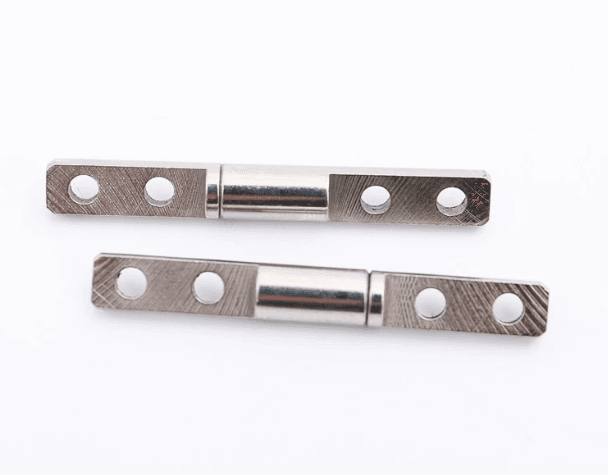
A specialized POS terminal display hinge utilizes precision-formed spring steel bands clamped around center pivot shafts.
High-quality friction hinges generate 2.0 Nm to 7.0 Nm of continuous holding force, securing 15-to-22-inch commercial displays at any set angle without manual locking clamps.
Dynamic Shock Absorption and Anti-Bounce
High-traffic retail environments subject checkout terminals to heavy physical abuse, including aggressive touchscreen tapping and accidental bumps.
- Static Holding Force: High static friction absorbs finger pressure instantly, preventing screen recoil during rapid transaction inputs.
- Kinetic Friction Smoothness: Balanced dynamic resistance allows store staff to adjust display angles smoothly without mechanical jerkiness.
Tribology for High-Frequency Commercial Operation
Retail hardware must maintain consistent joint resistance despite temperature shifts in kitchen setups or entry door locations. Standard lubricants degrade quickly under repetitive motion, causing joint looseness or liquid leaks.
Engineers manufacture every POS terminal display hinge using premium alloy steel or stainless steel components. Advanced non-migrating synthetic greases maintain stable internal friction across operating temperatures from -10°C to +65°C over 30,000+ adjustment cycles.
Overcoming Top 3 Failures in Retail & Hospitality Kiosks
Analyzing field return data helps mechanical design teams eliminate hardware failures early in product development. Specifying a verified POS terminal display hinge resolves three major commercial failure modes.
1. Screen Wobble and Bounce During Touch Input
The most frequent hardware failure in commercial POS systems is display shake caused by finger impact. Low-cost hinges lack sufficient static resistance, forcing the screen to bounce back and forth with every tap.
Precision band engineering maintains high static-to-dynamic torque ratios. By eliminating axial play, a quality POS terminal display hinge absorbs touch impact instantly, speeding up order entry for cashiers.
2. Torque Loss and Screen Drooping Over Time
Frequent angle adjustments by store operators cause cheap industrial hinges to lose clamping tension rapidly. Over time, heavy commercial screens start sliding downward under their own weight.
Multi-layer heat-treated spring bands resist structural fatigue across long lifecycles. Premium positioning joints maintain torque decay under <5% over 30,000 cycles, keeping displays locked in place.
3. Enclosure Cracking Caused by Wide Torque Tolerances
Inconsistent component torque creates severe assembly line scrap and field failures. Uncertified hardware suppliers frequently deliver positioning joints with a torque tolerance variance exceeding ±25% to ±40%.
These extreme variations cause severe manufacturing problems:
- Over-Torque Units: Assembly line technicians struggle to move overly stiff joints, risking cracked plastic terminal housings during installation.
- Under-Torque Units: Loose components fail final quality inspection when heavy touchscreen panels sag during usage tests.
Leading suppliers maintain strict POS terminal display hinge tolerances within ±5% to ±10% of nominal ratings, ensuring fast line assembly and zero component scrap.
OEM/ODM Sourcing Checklist for POS & Kiosk Manufacturers
Purchasing leads and structural engineers must evaluate long-term mechanical reliability during supplier audits. Use this practical checklist during vendor selection.
1. Touch Load Torque Calculation Formula
Before finalizing CAD specs, calculate holding force requirements using standard mechanical equations:

Where T is required hinge torque (Nm), Fscreen is screen weight force (N), Ftap is maximum user touch tapping force (N), d is distance from pivot axis to touch center (m), and Sf is dynamic safety factor (recommended 1.5 to 1.8 for commercial terminals).
Calculating peak impact loads early prevents under-specifying a POS terminal display hinge during 3D modeling.
2. Concealed Cable Pass-Through Architecture
Commercial payment terminals require internal wiring for power feeds, receipt printers, and card readers. Partnering with a supplier that offers a custom positioning hinge allows you to integrate hollow center shafts.
This internal channel protects electrical cables from pinching and wear during 180-degree display rotation, maintaining clean commercial aesthetics.
3. Dual-Screen Articulation Support
Modern POS terminals frequently utilize dual displays: a primary screen for cashiers and a secondary screen for customer payment verification.
Custom multi-pivot hardware configurations allow independent tilt control for both panels while sharing a single mounting base.
Quality Management: Why In-House Control Matters
Achieving smooth hand-feel and long lifecycle performance requires total control over every manufacturing phase. Outsourcing critical steps creates dangerous quality variances across production lots.
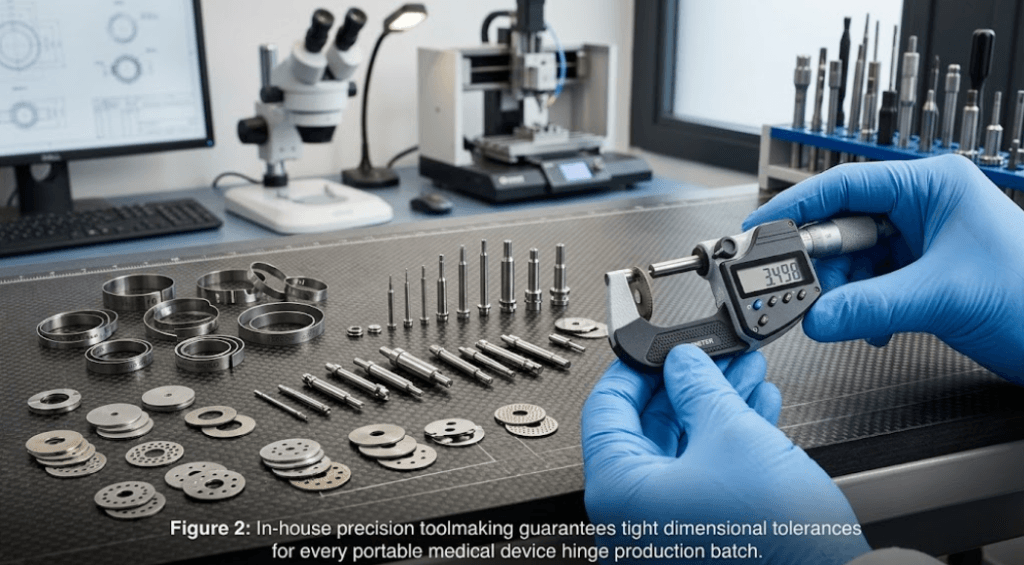
High-quality component manufacturers maintain complete vertical integration. Managing toolmaking, stamping, die-casting, heat treatment, and assembly under one roof ensures absolute raw material traceability and consistent spring tempering for every POS terminal display hinge unit.
Furthermore, advanced facilities operate certified quality management systems adhering to international frameworks like ISO 9001 Quality Standards.
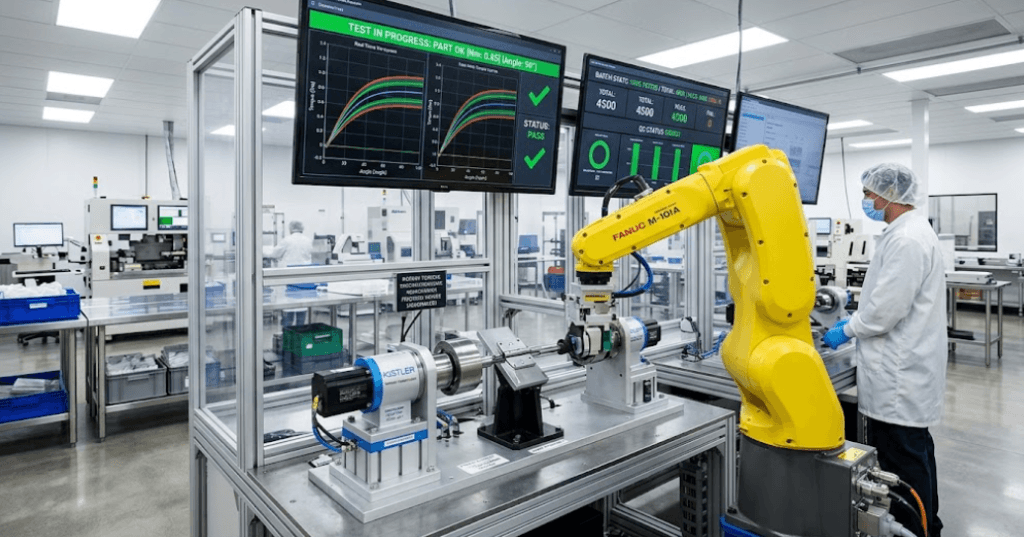
Rather than relying on periodic manual sampling, automated 100% torque testing equipment inspects every POS terminal display hinge before dispatch. Out-of-spec parts are automatically rejected, guaranteeing zero-defect delivery to global assembly lines.
Conclusion
In the demanding retail and commercial equipment sector, a POS terminal display hinge is not just a basic mounting bracket—it is a critical motion component that defines touch stability, field reliability, and terminal durability.
Initial cost savings gained by purchasing low-cost industrial hinges are quickly wiped out by factory assembly defects, cracked plastic housings, and store service dispatches.
By partnering with a precision manufacturer that prioritizes tight torque tolerances, anti-wobble spring bands, and 100% automated quality inspection, OEMs can eliminate screen bounce, streamline assembly efficiency, and build commercial terminals that stand the test of time.
Developing a self-service kiosk, dual-screen POS system, or checkout display? Contact the engineering team at JAN today to request 3D STEP files, torque calculations, or free prototype samples for your POS terminal display hinge projects!
FAQ
Q1: What torque rating is required for a POS terminal display hinge on a 15-inch touchscreen?
A1: A standard 15-inch commercial touchscreen requires a POS terminal display hinge rated between 2.5 Nm and 5.0 Nm, depending on screen weight and touch tapping force, preventing screen bounce during order entry.
Q2: How does a POS terminal display hinge prevent screen wobble during rapid touch typing?
A2: Screen wobble is eliminated by using high static friction spring steel bands with zero axial play. This design absorbs touch forces instantly to keep the display completely steady.
Q3: Can JAN manufacture custom POS terminal display hinge designs with internal cable routing?
A3: Yes. JAN provides complete OEM/ODM engineering support. We can manufacture a custom positioning hinge with hollow shafts, integrated VESA mounting plates, and tailored torque settings for clean cable management inside POS enclosures.
Q4: Why are tight torque tolerances critical for POS terminal display hinge assembly lines?
A4: Tight torque tolerances (within ±5% to ±10%) prevent factory assembly scrap by ensuring hinges fit precisely without cracking plastic enclosures or causing screen sag during final quality checks.